


As a small startup (a team of four), we are always moving fast. Right now, while our CTO and main developer are focused on the deeper, structural parts of our product, Nadia Eldeib (our CEO) and I (product designer) are pitching in wherever we can. Thanks to tools like Claude Code and Cursor, that includes frontend work and even some basic backend tasks.
The upside: we are shipping more changes faster with all of us contributing to the code and product.
The downside: while we are all heads down building, there is little time left to create thoughtful demos, explainers, and content that clearly communicate what we are building.
So we started experimenting with AI tools not just to build the product, but also to help us demo how it works.
Letting AI describe the product it’s helping to build
As AI becomes more powerful and more options emerge at both the foundational model and tooling layer, it is easy to feel overwhelmed by the number of options out there. Choosing what to try (and what to ignore) is not always obvious.
So far, our team’s experience with Claude Code has been really good. We have learned how to prompt using the Claude Code CLI in the terminal to make frontend changes, commit code, and even create and review pull requests. Even though my background is design, I honestly feel like a junior developer - in a good way!
Recently, the thought occurred to me:
If Claude is helping us build the product, what happens if I ask it to describe the product?
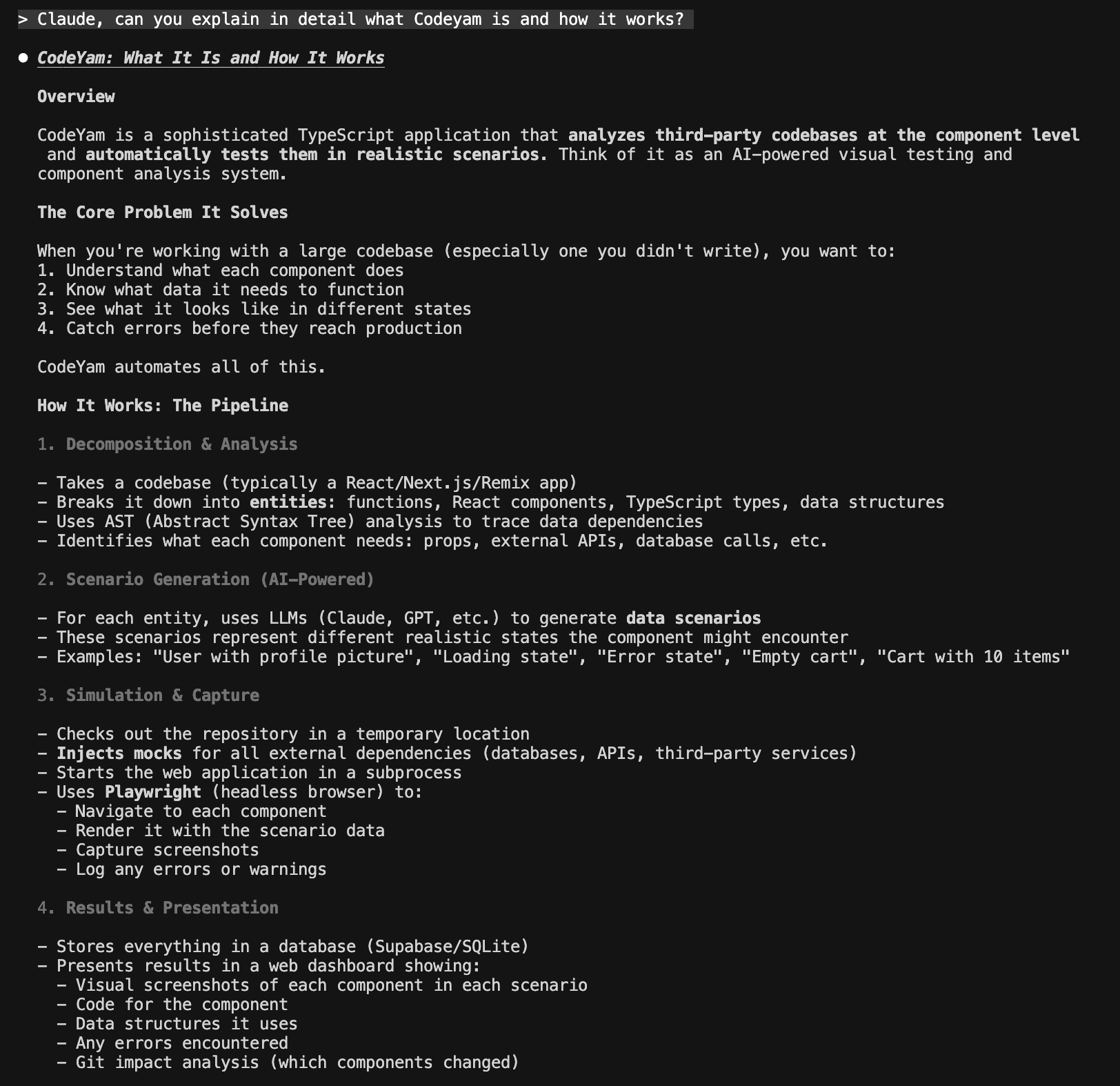
As an experiment, I asked Claude to explain what CodeYam is, what problems it solves for users, and where its main strengths lie. The result was… surprisingly good. Clear, mostly accurate, and relatively close to how we’ve been describing it internally.
The prompt I used:
Claude, can you explain in detail what CodeYam is and how it works?
Claude’s response:
From product description to demo script
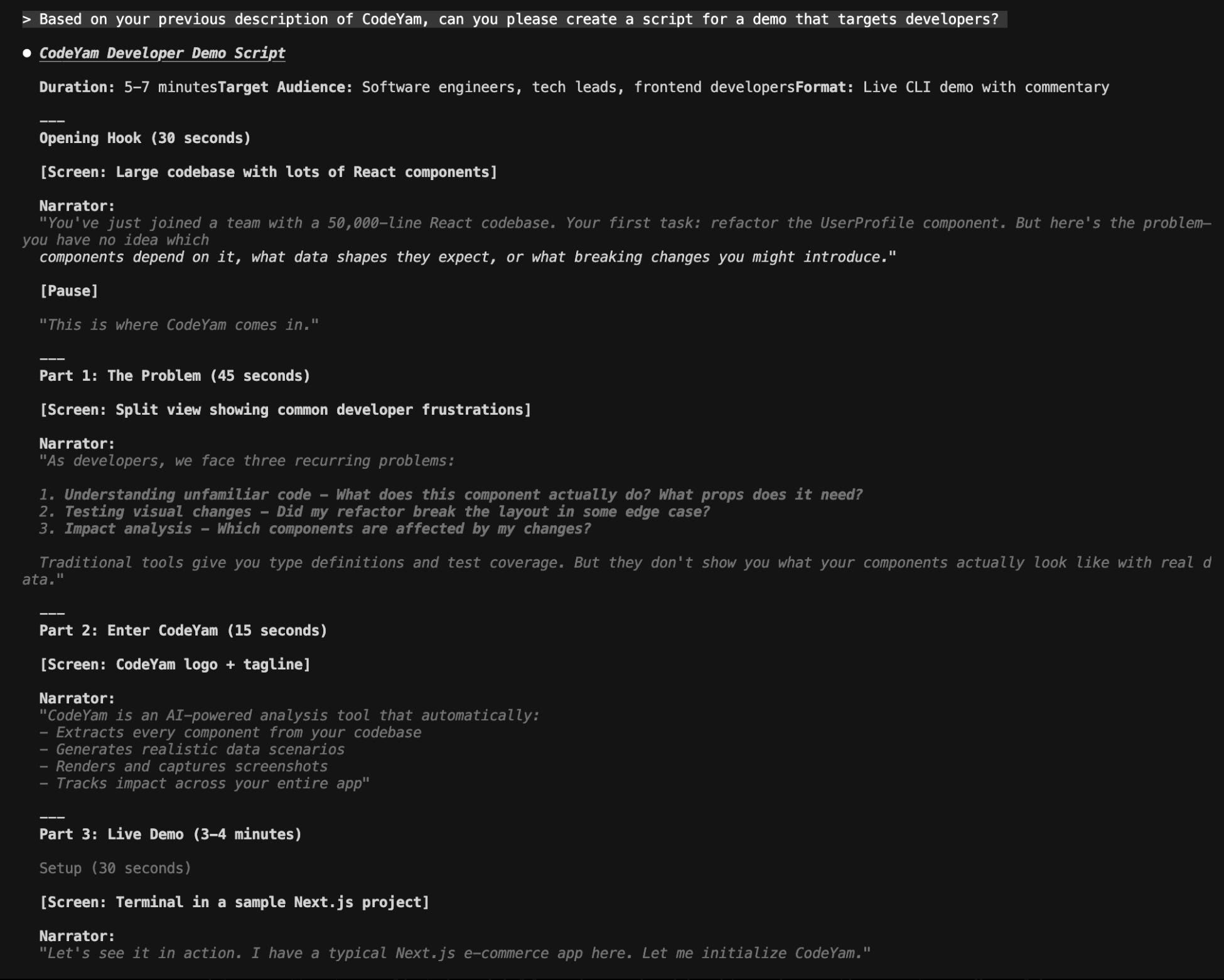
Encouraged by my initial results, I took this experiment one step further and asked Claude to create a script for a full product demo video.
What really impressed me was how the AI structured the story. Claude chose to start the demo with a pull request and a concrete developer problem; this was almost exactly the same framing Nadia and I had been brainstorming ourselves. Seeing an AI independently land on the same narrative we had was eye-opening.
Prompt:
Based on your previous description of CodeYam, can you please create a script for a demo that targets developers?
Claude’s response:
Turning text into conversation with NotebookLM
Around the same time I was experimenting with Claude, Google NotebookLM caught my attention. NotebookLM is described by Google on their site as “an AI research tool and thinking partner that can analyze your sources, turn complexity into clarity, and transform your content.”
I had recently had a long conversation with my brother, who is a developer working at another startup, about CodeYam and other AI tools like NotebookLM. So, I decided to give NotebookLM a try.
I fed NotebookLM:
The CodeYam product description
The demo script generated by Claude
Our website (codeyam.com)
An early demo iteration Nadia was working on internally
The result was mind-blowing.
It generated a long, conversational walkthrough of the product. Probably too long and a bit too podcast-y to be something we would feel confident putting out there to officially represent CodeYam. But as a first attempt, it really surprised us in the best way.
The content was mostly (but not 100%) accurate, the explanations made sense, and the illustrations were fun and informative. We then tried a second version, aiming to make it shorter and sharper, and here’s the resulting take:
Still experimenting… and I continue to be pleasantly surprised
These are still exploratory demos. There is plenty to tweak, tighten, and improve. That said, overall, we’ve been blown away by how much these tools can accelerate not just software development, but also communication.
Tools like Claude, Cursor, and now Google NotebookLM help us move faster, test ideas earlier, and lower the barrier to creating content that would otherwise take much more time and coordination.
If you’ve tried creating product content with tools like these and have suggestions, recommendations, or best (or worst!) practices to share for creating demos or explainers in an easy, fun, and fast way, let us know in the comments section below 👇